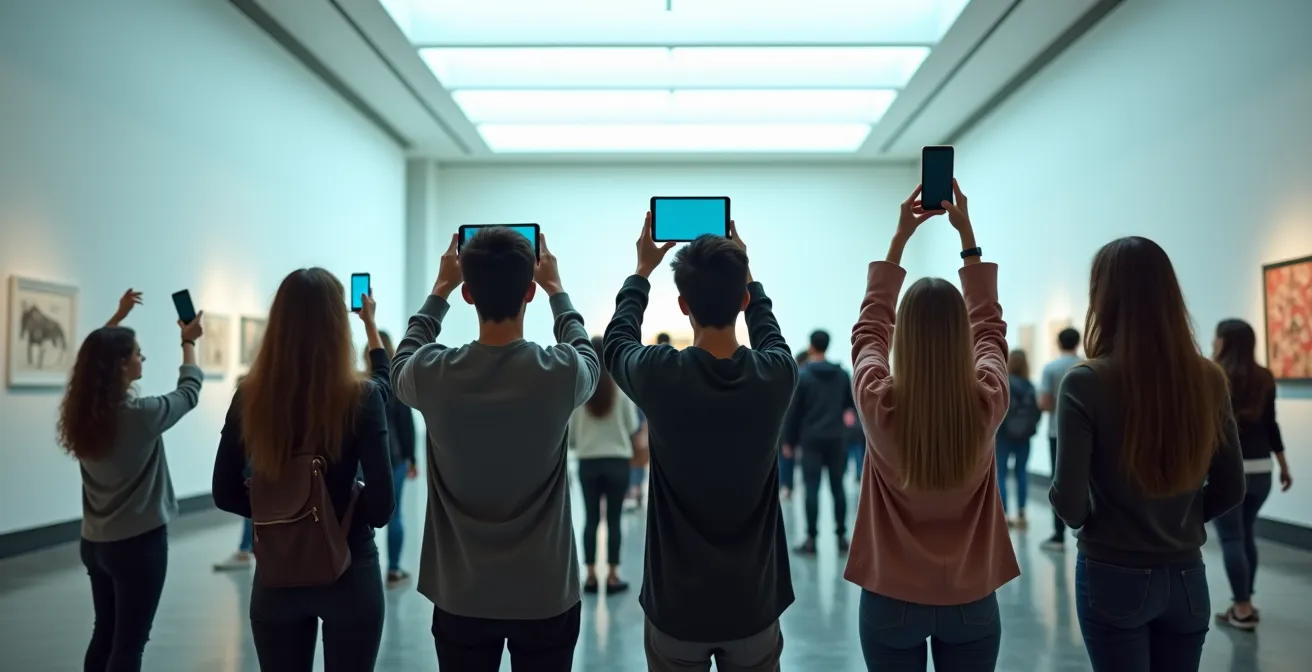
The key to engaging Gen Z isn’t just adding AR; it’s designing frictionless experiences that enhance, not distract from, the artifacts.
- Interactive AR can improve memory retention of historical facts by over 10% by creating spatial learning environments.
- WebAR is superior to native apps for casual visitors, as it eliminates download friction and caters to short attention spans.
Recommendation: Prioritize WebAR platforms and design content that guides the visitor’s eye back to the physical object after the digital interaction.
For gallery directors, the challenge is clear: how do we make centuries-old artifacts resonate with a generation that spends, on average, over seven hours a day on screens? The buzzword solution is “Augmented Reality.” We’re told that by overlaying digital content onto the physical world, we can magically capture the fleeting attention of younger visitors. But this approach often misses the point entirely, leading to expensive projects that are little more than fleeting gimmicks.
Many institutions jump to creating complex, downloadable apps or flashy animations that, while initially impressive, create a “screen barrier.” This digital wall inadvertently isolates visitors in their own tech bubble, distracting them from the very artifacts we want them to appreciate. They end up looking *at* their phones, not *at* the history in front of them. This is a fundamental failure of experience design.
But what if we reframe the goal? Instead of using AR as a lure, what if we wielded it as a precision instrument for cognitive engagement? The real opportunity lies not in replacing the physical experience, but in augmenting the visitor’s understanding and memory of it. It’s about designing a seamless, intuitive journey that bridges the gap between digital interaction and physical appreciation, turning passive viewing into active, memorable learning.
This guide moves beyond the hype to offer a strategic UX framework. We will explore the cognitive science that makes AR a powerful learning tool, analyze the crucial tech choices that determine an experience’s success, and identify the design pitfalls to avoid. We’ll delve into managing visitor flow in a digitally enhanced space and even look at how these principles apply to the new frontier of NFT art.
Summary: A Strategic UX Guide to AR in Museums
- Why Visitors Remember 40% More History When Using Interactive AR Guides?
- How to Create a Simple AR Museum Guide Using No-Code Platforms?
- Native App or WebAR: Which Removes Friction for Casual Visitors?
- The Screen Barrier Error: When AR Distracts From the Actual Artifact
- How to Route Visitor Traffic to Avoid Congestion at AR Hotspots?
- Why Users Are Rage-Clicking on Your “Add to Cart” Button?
- How to Gamify Digital Lessons Without Trivializing the Content?
- How Galleries Curate NFT Exhibitions That Transcend Physical Borders?
Why Visitors Remember 40% More History When Using Interactive AR Guides?
The power of augmented reality in a museum context goes far beyond simple visual flair; it taps into fundamental mechanics of human memory. When a visitor uses AR to see a 3D model of a fossilized skeleton assemble itself, they aren’t just consuming information. They are building a mental map in a three-dimensional space. This process engages our spatial memory, a deeply ingrained cognitive system that links information to physical locations and movements.
This is the modern equivalent of a “memory palace,” a mnemonic technique used since ancient Greece. As computer science researcher Catherine Plaisant notes, immersive environments leverage a person’s “overall sense of body position, movement and acceleration” to enhance recall. A groundbreaking University of Maryland study found that 40% of participants scored at least 10% higher in recall ability using immersive displays compared to traditional desktop viewing. The brain isn’t just processing text on a plaque; it’s encoding an *experience*.
The Liangzhu Museum in China provides a powerful example. Visitors using AR glasses reported they could finally “know what the ancient wild boar exactly looks like and how it is different from what we see on TV.” This demonstrates how AR’s multi-sensory stimulation—combining visual layers with the existing physical space—creates a richer cognitive imprint. It bypasses the abstract nature of a description and delivers a concrete, memorable understanding. The result is not just higher engagement in the moment, but a demonstrably stronger and more lasting memory of the history itself.
How to Create a Simple AR Museum Guide Using No-Code Platforms?
The idea of developing an AR experience can seem daunting, evoking images of large development teams and complex coding. However, the maturation of no-code platforms has democratized AR creation, putting powerful tools directly into the hands of museum curators and designers. These platforms operate on a simple principle: you provide the “trigger” (a physical image, like a painting or a marker) and the “overlay” (the digital content, like a video, 3D model, or audio file), and the software handles the rest.
Platforms like Artivive, Zappar, and even Instagram’s Spark AR offer intuitive, drag-and-drop interfaces that abstract away the technical complexity. You can upload a high-resolution image of an artifact as a trigger and link it to a video of its historical use or a 3D model showing its original state. For a gallery director, this means you can prototype and deploy a simple AR guide in-house, often in a matter of hours, not months. The focus shifts from technical implementation to a more important question: what story do we want to tell?
The following table provides a brief overview of popular no-code options tailored for museum use, highlighting that the barrier to entry is lower than ever. While some platforms are free for basic use, many offer specialized packages for cultural institutions that provide greater control and support.
As this comparison of no-code AR solutions shows, the choice of platform depends on your specific goals, from social media integration to robust, in-gallery experiences.
| Platform | Museum Features | Pricing Model | Technical Requirements |
|---|---|---|---|
| Artivive | Trusted by United Nations & Harvard, WebAR & app AR with zero code, special packages for museums/NGOs with custom pricing | 50 lifetime views (free), then paid add-ons or cost control | No coding or programming experience required |
| Zappar | No-code drag and drop editor, build rich 3D web experiences | Free trial available, enterprise pricing on request | Works with existing platforms and frameworks |
| Instagram Spark AR | Native integration with social platform where Gen Z is active, QR codes on exhibit labels | Free to use | Facebook/Meta account required |
Action Plan: Auditing Your AR Content Strategy
- Points of Contact: Identify the 3-5 key exhibits or artifacts that would benefit most from an AR layer. Where is the story most in need of enhancement?
- Content Inventory: Collect and inventory all existing digital assets. Do you have 3D models, archival videos, audio interviews with artists, or high-resolution photographs that can be repurposed?
- Narrative Coherence: For each selected artifact, confront the AR concept with its core educational goal. Does the digital layer clarify the historical context or does it distract with novelty?
- Memorability & Emotion: Evaluate the AR concept on a simple grid. Is the experience purely informational (generic) or does it evoke a unique emotion like wonder, curiosity, or empathy?
- Integration Plan: Create a blueprint for deployment. How will you place QR codes or triggers? How will you guide visitors to use the feature without causing physical bottlenecks? Prioritize the highest-impact, lowest-friction integrations first.
Native App or WebAR: Which Removes Friction for Casual Visitors?
One of the most critical decisions a gallery director will make is not *what* AR content to create, but *how* to deliver it. The choice between a native app (downloaded from an app store) and WebAR (accessed directly through a phone’s browser) has profound implications for user adoption and overall experience. From a UX perspective, the goal is to eliminate every possible point of friction between the visitor and the experience.
A native app offers rich functionality and offline access but presents a significant initial barrier: the download. Visitors, especially casual ones, are often reluctant to use Wi-Fi or cellular data to download a large app they might only use once. A 2024 study highlighted that average attention spans are a mere 8.25 seconds—far too short to wait for an app to install. This initial friction can lead to a massive drop-off before the visitor even sees the first AR element.
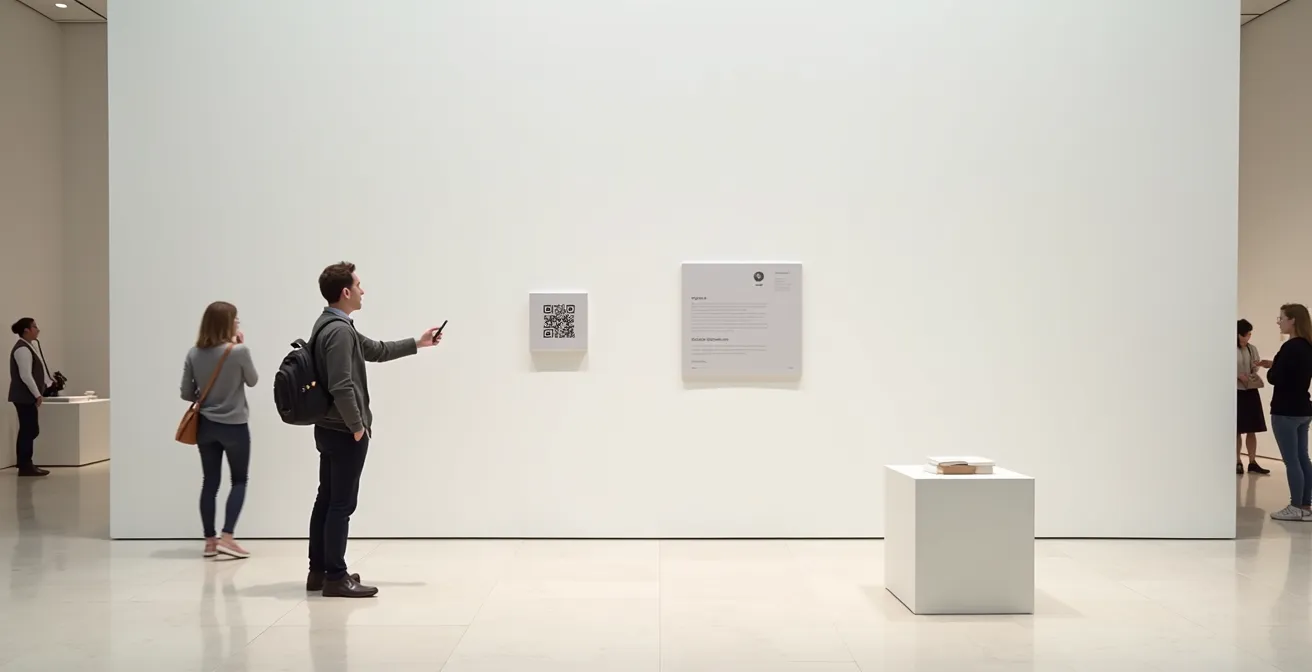
This is where WebAR shines. By simply scanning a QR code on an exhibit label, a visitor’s phone camera opens a browser and the AR experience begins instantly. There is no app store, no download, and no waiting. As detailed by museum tech provider Orpheo Group, Progressive Web Apps (PWAs) are accessible through any mobile browser via a direct URL or QR code, with content displaying instantly. This frictionless access is perfectly aligned with the expectations of a digitally native audience accustomed to immediate gratification. For a director aiming to engage the widest possible audience, WebAR is almost always the superior choice for its sheer simplicity and immediacy.
The Screen Barrier Error: When AR Distracts From the Actual Artifact
As UX designers, we must confront a critical paradox of museum-based AR: the very tool designed to enhance an artifact can end up obscuring it. We call this the Screen Barrier Error. It occurs when the digital experience becomes so compelling or demanding that it monopolizes the visitor’s attention, effectively making the physical object secondary. The visitor looks *through* the artifact to the screen, rather than using the screen to see the artifact with new eyes.
This is more than a theoretical concern. It’s a common design flaw that can undermine the entire purpose of a museum visit. The goal of AR should be to provide a brief, insightful “spark” that enriches the viewer’s understanding and then directs their attention back to the physical object with a renewed sense of wonder. If a visitor spends two minutes watching a complex animation on their phone while standing in front of a masterpiece, have they truly *seen* the masterpiece? As the technology specialists at Livdeo ask in a piece for Medium, ” Does AR isolate visitors in their digital bubble rather than fostering connections?” It’s a question every curator must consider.
Some fear AR will disengage visitors from their physical surroundings, absorbed in their devices.
– Livdeo, Museums and Augmented Reality: An Exciting New Frontier

The solution lies in designing for ephemeral augmentation. The AR interaction should be short, revelatory, and leave the visitor with a specific insight to look for in the physical object. For example, an AR overlay could briefly highlight the restored colors of a faded tapestry before disappearing, prompting the visitor to lean in and examine the remaining threads. The digital content should serve as a key that unlocks a deeper appreciation of the real thing, not as a replacement for it. The magic happens in the moment the visitor lowers their phone and sees the artifact with fresh eyes.
How to Route Visitor Traffic to Avoid Congestion at AR Hotspots?
Introducing AR into a gallery isn’t just a digital overlay; it’s a physical intervention that reshapes how people move through a space. An exciting AR “hotspot” can quickly become a frustrating bottleneck, with clusters of visitors blocking pathways and sightlines for others. As UX designers, we must practice behavioral choreography, proactively designing visitor flow to accommodate these new digital interaction points.
This is no longer a matter of guesswork. Modern museums are increasingly adopting data-driven approaches to understand visitor movement. A 2024 systematic review found that 72.7% of smart museum studies focus on analyzing interactive engagement and movement patterns, with many utilizing location tracking systems. By leveraging anonymized data from Wi-Fi or Bluetooth signals, directors can generate real-time heat maps that reveal where congestion occurs and how long visitors dwell in certain areas. This data is invaluable for optimizing both the physical layout and the digital experience.
With this insight, we can implement several crowd management strategies specifically for AR:
- Designated Activation Zones: Create clearly marked spots on the floor for visitors to stand while using AR. These zones should be positioned to the side of main thoroughfares, ensuring clear views of the artifact for non-AR users.
- Multiple Thematic Paths: Instead of a single linear AR tour, create several different starting points and thematic routes (e.g., a “Materials & Techniques” tour versus an “Artist’s Biography” tour). This naturally disperses visitors throughout the gallery.
- Dynamic Suggestions: A sophisticated AR system can use real-time location data to manage traffic. If an exhibit is crowded, the guide can proactively suggest an alternative, equally interesting nearby artifact to visit first.
- Analyze Dwell Times: Use analytics to identify which AR experiences are causing the longest stops. If an experience is creating a bottleneck, consider shortening the animation or breaking the information into smaller, sequential parts activated at different locations.
This strategic approach to traffic management ensures that the digital enhancement adds to the visitor experience without detracting from the comfort and accessibility of the physical space for everyone.
Why Users Are Rage-Clicking on Your “Add to Cart” Button?
In the world of e-commerce, “rage-clicking”—repeatedly and frantically tapping a button that isn’t responding—is the ultimate signal of user frustration. For a museum director, the “Add to Cart” button isn’t for a product; it’s the moment a visitor tries to engage with your AR experience. And the “rage-click” is the moment they give up in frustration, turning away from a buggy, slow, or confusing interface. This digital abandonment is a critical failure point we must design to prevent.
We must understand the context in which Gen Z operates. Post-pandemic data shows that 60% to 80% of Gen Z spend over seven hours a day on their screens. They transition seamlessly between hyper-optimized apps like TikTok, Instagram, and Netflix. Their baseline expectation for any digital interface is that it will be instantaneous, intuitive, and flawless. At least 35% of this generation spends four hours daily on social media, training their brains to expect immediate feedback and gratification.
When they scan a QR code in a gallery and are met with a slow-loading screen, a confusing menu, or an AR overlay that fails to track the object correctly, their patience is virtually non-existent. This isn’t a failure of the visitor; it’s a failure of our design to meet their ingrained expectations. The museum “rage-click” happens when a visitor lowers their phone not with newfound wonder, but with an eye-roll of disappointment, effectively “abandoning their cart” and disengaging from the exhibit. This is why choosing frictionless technology like WebAR and rigorously testing the experience for speed and stability is not a luxury, but a fundamental requirement for success.
How to Gamify Digital Lessons Without Trivializing the Content?
Gamification is a powerful tool for engagement, but in a museum context, it walks a fine line. Done poorly, it can reduce profound history to a superficial point-scoring exercise. The key to successful gamification is to ensure the game mechanics are intrinsically linked to the learning objectives. The goal is not to distract with a game, but to use game-like structures to reveal the content more deeply. This is the essence of “serious games.”
Instead of a simple “scan ten artifacts to get a badge,” a more meaningful approach would be a narrative-driven quest. For example, a visitor could take on the role of an art historian’s apprentice, using AR to uncover hidden symbols in paintings to solve a historical mystery. Here, the “game” directly facilitates the act of close looking and critical thinking. The reward isn’t points; it’s the unlocking of the next piece of the story, a digital parallel to the academic discovery process.
The Natural History Museum in London’s “Visions of Nature” experience is a brilliant case study. Using HoloLens 2, visitors are transported to the year 2125 and guided by an AI copilot to observe holographic species that have evolved due to climate change, like “narlugas” (narwhal-beluga hybrids). The experience is engaging and game-like, but its core purpose is deeply educational: to communicate the tangible, long-term impacts of environmental change. It entertains while it informs, never trivializing the underlying science.
To implement this effectively, curators should focus on a framework for serious games:
- Narrative Unlocks over Points: Replace arbitrary scoring with the progressive revelation of historical diaries, artist sketches, or scientific data.
- Role-Playing Scenarios: Allow visitors to make ethical choices from a historical perspective, such as a curator deciding how to preserve a fragile artifact.
- Mechanics Aligned with Learning: Design interactions that mimic the subject matter. For an exhibit on ancient Egypt, the “game” could involve correctly placing virtual canopic jars to understand burial rituals.
- Creative Participation: Incorporate simple, interactive activities, like digital coloring sheets of famous works, that foster a sense of personal connection and participation without undermining the art’s integrity.
Key Takeaways
- AR is a cognitive tool that enhances memory retention by engaging our innate spatial learning abilities.
- For casual visitors, the frictionless, instant access of WebAR is vastly superior to downloadable native apps.
- Effective AR design avoids the “Screen Barrier,” using brief, insightful interactions to guide attention back to the physical artifact.
How Galleries Curate NFT Exhibitions That Transcend Physical Borders?
The rise of NFTs and digital art presents a fascinating challenge and opportunity for physical galleries: how do you exhibit art that has no physical form? Augmented reality provides the bridge, allowing galleries to create hybrid exhibitions that ground digital assets in a real-world context. This approach transcends physical borders, allowing an artist’s digital work to be displayed simultaneously in Vienna, New York, and Tokyo, all while offering a unique, location-specific experience.
In this model, the gallery space is curated with physical “markers.” These could be empty, ornate frames, minimalist plaques with QR codes, or even sculptures that serve as triggers. Visitors use their own devices to scan these markers, revealing the NFT artwork as an AR overlay. This creates a powerful juxtaposition: the ephemeral, blockchain-verified digital piece is experienced within the traditional, tangible permanence of the gallery walls. It honors the context of the gallery space while showcasing the placeless nature of the art itself.
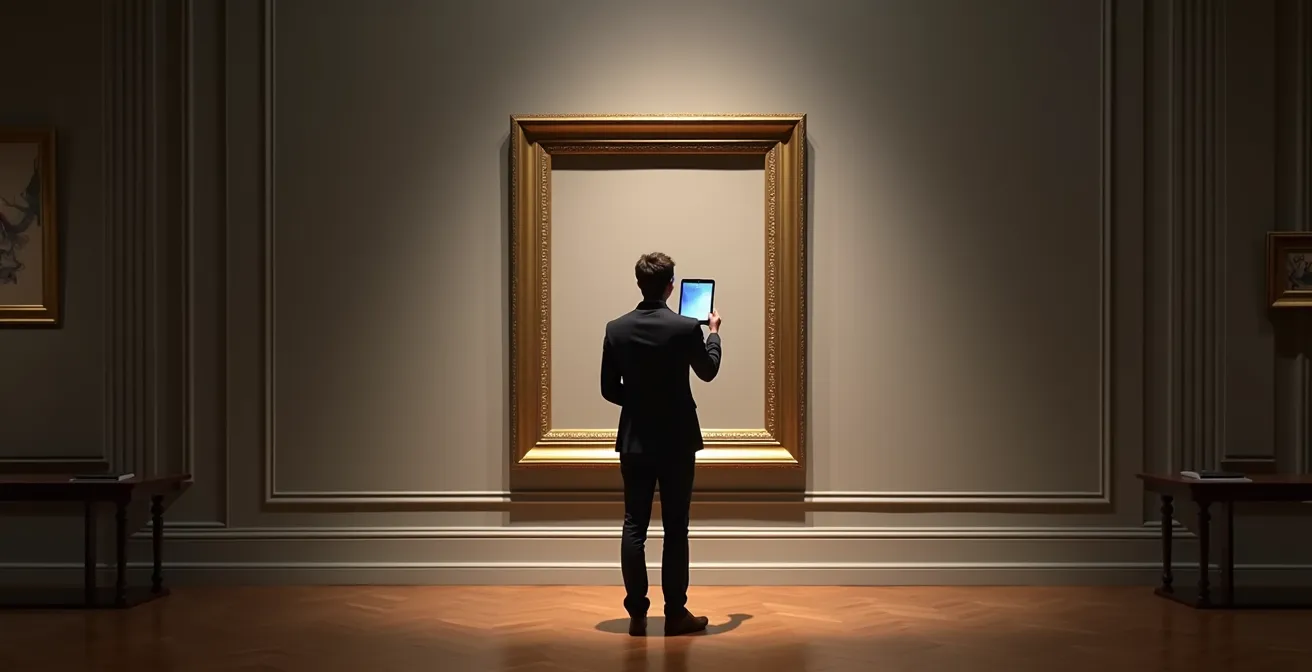
This concept was proven effective by the “BREATHE” exhibition in 2021. Organized by Artivive and artèQ at the DESIDERIO NO.1 GALLERY in Vienna, it was one of the first major shows to combine NFTs with AR, demonstrating a viable and compelling model for the future of digital art curation. The gallery provides the environment, the prestige, and the communal viewing experience, while AR provides the window into the digital realm. This model also opens up new revenue streams, allowing galleries to facilitate the sale of NFTs directly from the AR experience.
This fusion of physical and digital creates a layered experience. It respects the importance of the curated physical space while embracing the limitless possibilities of digital art. For the gallery director, it’s a way to participate in the burgeoning digital art market, attract a new generation of tech-savvy collectors, and redefine what it means to “host” an exhibition.
To truly future-proof your institution, the next step is to move from theory to practice. Begin by identifying a single artifact or a small collection and start prototyping a simple WebAR experience. Focus on telling one compelling story that enhances, rather than distracts from, the object. Start designing your museum’s next chapter by prototyping these AR strategies today.